Launching or relaunching a website is one of the riskiest things you can do for your SEO and AI search visibility. You’re changing URLs, content, navigation, and code all at once, and Google and the AI tools have to relearn your site. Some dip is normal. The goal is to keep it small and short.
The good news: a launch is also a great opportunity. You get to carry over everything that’s working and fix the SEO basics the old site never got right.
Get SEO in the room early
The earlier the better. Ideally at the wireframe stage, and an SEO can even help write the RFP. Your SEO also needs a direct line to the developer, not a game of telephone through three project managers. Things like site speed are easy to build in during development and a lot harder to add after launch.
Before anything else, agree on goals. Why the heck are we doing this? Better user experience, new tools, ticket sales, a bigger product catalog? The answer changes what you protect.
Decide what to migrate, and what to let go
Most sites carry a lot of pages nobody visits. A launch is the year to trim them. I recently worked on a migration for an events nonprofit moving from more than 2,000 pages to a new platform where every page had to be rebuilt by hand. We cut the migration list to about 50 must-have pages.
Here’s how I’d sort every URL:
| Bucket | Which pages | What happens |
|---|---|---|
| Migrate | Pages with search traffic, backlinks, or conversions in the last 12 months, plus anything the business can’t live without | Move it over and keep the same URL slug if you can |
| Consolidate | Several old pages or posts covering the same thing | Combine them into one stronger page and redirect the rest to it |
| Let go | Outdated pages with no traffic, no links, and no business reason to exist | Don’t rebuild it. Redirect it to the closest relevant page |
Two tips from that project:
- Ask the client what they don’t care about, then double-check it. Have them mark pages they’d happily lose. Then check each one for search traffic before you cut it. Sometimes a page they’d forgotten about is quietly bringing in visitors.
- Rebuild one page before you estimate the rest. If content has to be moved by hand, have someone migrate a sample of real pages and time it. Now you know how many hours the migration really takes.
Build the redirect map (and give it an owner)
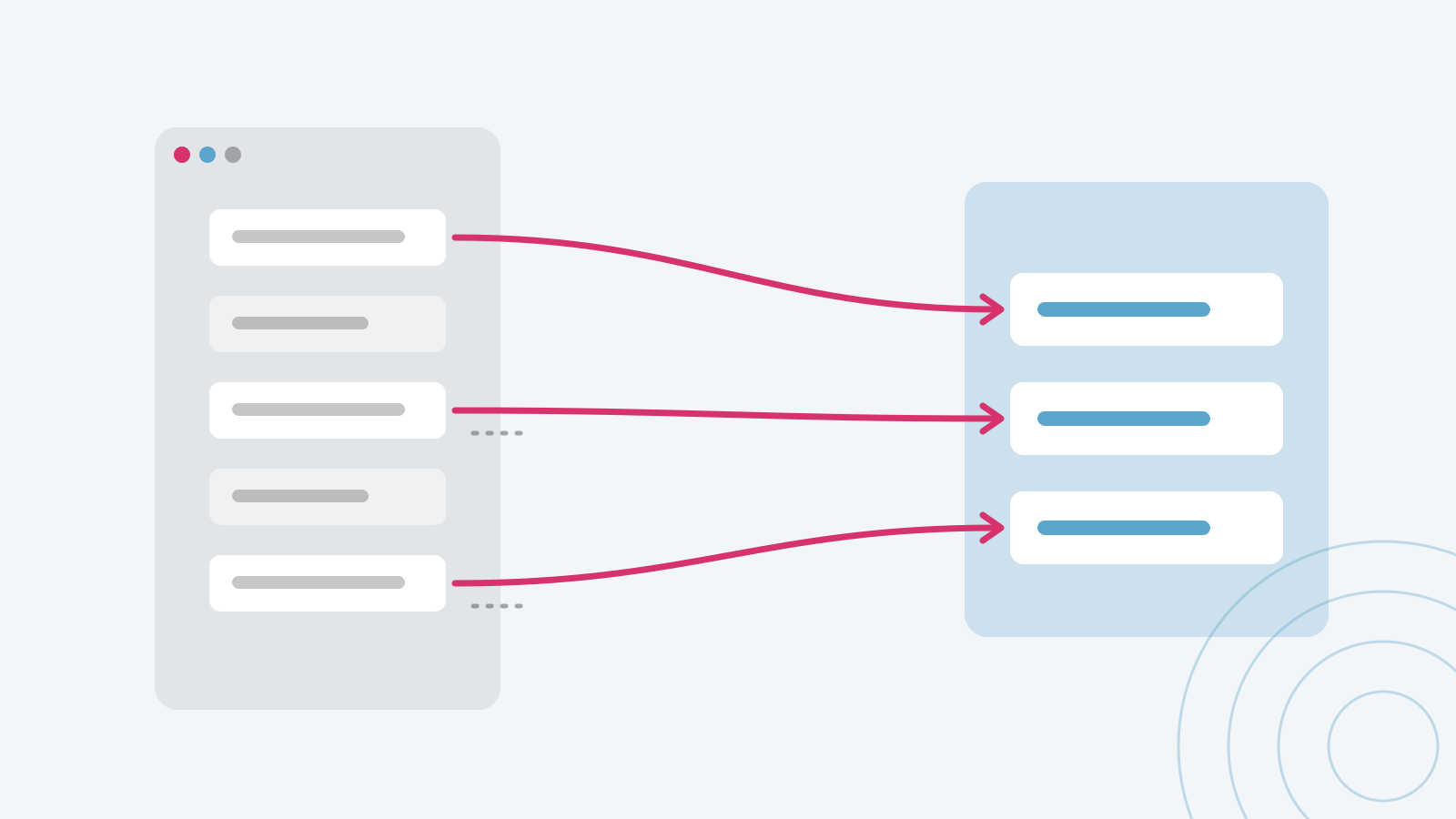
Nobody really wants to build the redirect map, so name an owner. Map every old URL that matters to its closest new page with a 301 redirect. Google’s site move guidance recommends the same.
Don’t redirect everything to the homepage. It’s one of the most common mistakes I see, and it throws away the value those pages built.
Also think about where the redirects will live. If they’re buried in a server file only a developer can touch, every new page becomes a risk. How do you make sure a new page doesn’t reuse a URL that’s already on the redirect list? A redirect manager inside your CMS is usually easier to live with.
If the redirect map isn’t fully done on launch day, don’t panic. In my experience, you get a short grace period when a new site launches with some broken links. You do want to catch them within a week or two. Watch your 404 report and add redirects as they show up.
Don’t let SEO win every fight
I say this as an SEO person. SEO can’t delay a launch that the business needs. On that events project, the site had to be live well before ticket sales started, so we accepted a step back in SEO for a much better user experience and built from a new baseline.
That’s a fine trade when you make it on purpose. Just make sure everyone knows the dip is coming, and that you’ve protected the pages that matter most.
Know what a cheaper platform costs you
Some platforms are cheap because the site comes bundled with something else, like an app or a ticketing tool. That can be a great deal. The catch is that those platforms usually aren’t updated for SEO best practices as often, and you can’t add tools the way you can on WordPress or Shopify.
Ask before you sign: Can we edit page titles and meta descriptions? Add schema? Control what gets indexed, especially filter and search pages? Add our own tracking code? Manage redirects ourselves?
Give the staging site real time
Ideally 2 to 4 weeks, with the site at least 80% done: content, URLs, and pages. We crawl it, fix what we find, and only then push it live. Rushing is the number one mistake on my list, and it’s usually why everything else goes wrong.
Make tracking a launch requirement
On every launch, two things are always on my mind: getting the content migrated and getting tracking on the site. If analytics isn’t working on day one, you can’t tell what the launch did.
Give the developer your tracking code early. Then assume something will break, and test every form, call button, and purchase on staging and again on launch day.
The mistakes developers keep making
- Leaving a noindex tag on the live site, or forgetting to noindex the staging site
- Redirecting every old URL to the homepage
- Not carrying over page titles and meta descriptions
- Putting text inside images where nobody can crawl it
- Using headers as design elements instead of to organize content
- Leaning on too many plugins
- Judging the design on desktop when Google is mobile-first
- Forgetting the XML sitemap and robots.txt
And when a developer says “we do SEO too,” ask what that means. Sometimes it means a plugin.
Launch week and beyond
| When | What to check |
|---|---|
| Before launch | Benchmark rankings, traffic, and conversions on the old site. You can’t tell if the launch worked without a before picture. |
| Launch day | Redirects, indexing tags, robots.txt, XML sitemap, forms, and tracking |
| Week 1 to 2 | 404 report, Search Console coverage, and any pages that dropped out |
| Week 4 | Compare against the benchmark and fix what slipped |
Get the new site ready for AI search
Keep important content as real text, keep pages fast, let the AI crawlers in, and add schema that matches what’s on the page. Many AI crawlers don’t run JavaScript, so if your content only appears after scripts load, some of them never see it.
Building a website with AI
I’ve built a website with AI, and I’m not a developer. Fixes that used to take days of back and forth with a developer now take minutes. If Google starts caring about one new line of schema, you ask for it, and it’s done.
But it still took real critical thinking, and I’d want guardrails in place: a staging site, an SEO review before launch, someone who knows security and DNS, and more than one person who can edit the site. If the only person who can update your website gets hit by a bus, you’ve got a problem.
Launching on a brand-new domain?
A new domain takes time to earn trust. Plan on three to six months before organic traffic really picks up. Instead of treating launch as one day, think of it as a 90-day launch push: press, events, friends and family leaving reviews, and a Google Business Profile set up on day one.
FAQ
Will a redesign hurt my SEO? Some short-term movement is normal. A good migration plan keeps the dip small and short, and fixing old SEO problems can offset a lot of it.
Should I keep my URLs the same? If you can, yes. Every URL that changes needs a redirect, and every redirect is a chance for something to break.
How long should staging last? Ideally 2 to 4 weeks, with the site at least 80% done.
Should I delete old content during a migration? Delete or consolidate pages with no traffic, links, or business purpose. Redirect them to the closest relevant page instead of letting them die.
Planning a launch talk for your audience? See SEO Launch Support on the Topics page.